
Smart Lock Battery Keeps Dying? 10 Reasons Anaheim Homeowners Should Check Before Replacing the Lock
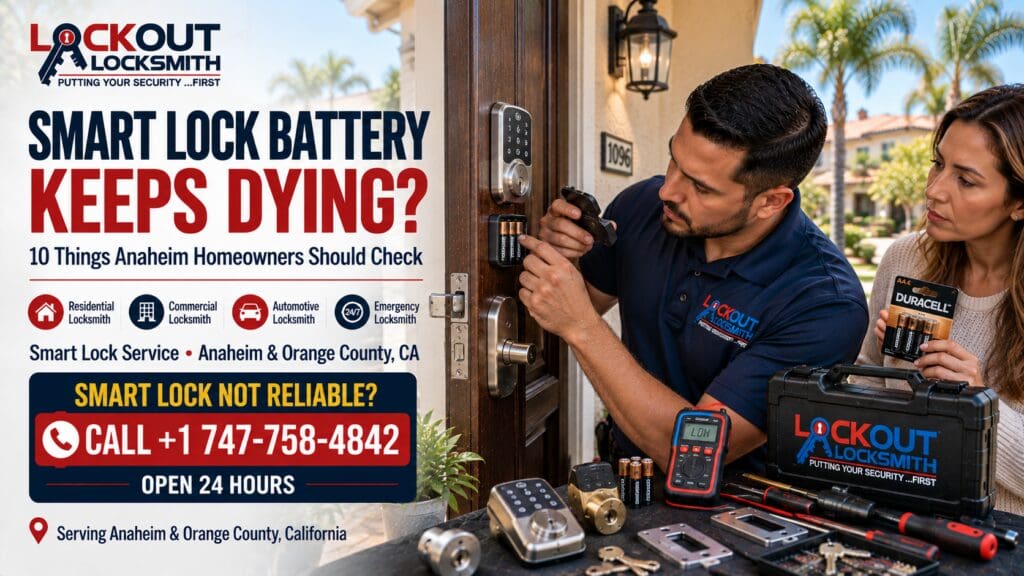
Smart locks are supposed to make everyday entry easier.
You tap a keypad, enter a code, use an approved app or credential, and the door unlocks without searching through your pocket for a key.
That convenience can become frustrating when the batteries seem to die far sooner than expected.
You install fresh batteries.
Everything works normally.
Then, weeks later—or sometimes much sooner—the lock starts giving low-battery warnings again.
At that point, it is easy to assume the smart lock itself is defective.
Sometimes it may be.
But excessive battery drain can also happen when the motor is working harder than it should, the deadbolt is binding against the strike, door alignment has changed, batteries are unsuitable for the device, environmental conditions are affecting performance, or the lock is constantly communicating through electronic features.
For homeowners in Anaheim and throughout Orange County, California, the useful first step is not immediately replacing the lock.
It is figuring out why the smart lock is using so much power.
Here are 10 common areas worth checking before deciding whether the lock needs service or replacement.
1. The Deadbolt May Be Working Too Hard
One of the most important things to understand about many smart locks is that the electronics still depend on mechanical hardware.
The motor may electronically control the deadbolt, but the bolt still needs to move through the door and into the strike.
If the deadbolt binds, the motor may need to use additional effort every time the door locks or unlocks.
That can contribute to faster battery consumption.
A useful observation is to compare the lock’s mechanical operation with the door open and closed.
If the deadbolt moves smoothly while the door is open but struggles after closing, door-to-strike alignment may be involved.
A professional providing smart lock repair in Anaheim can inspect both the electronic lock and the mechanical door hardware.
Replacing batteries repeatedly without addressing a binding bolt may leave you with the same problem.
2. The Door May Need to Be Pushed or Pulled Before Locking
Do you have to push the door inward while the smart lock is engaging?
Maybe the bolt occasionally fails unless you pull the handle toward you.
If so, the lock’s motor may be trying to overcome physical resistance.
That is not an ideal operating condition.
A properly installed electronic deadbolt should not need the homeowner to manually reposition the door every time it locks.
If your smart lock repeatedly struggles, makes a strained motor sound, or reports unsuccessful locking attempts, have the door and strike relationship inspected.
A residential locksmith in Anaheim can help determine whether the problem is primarily with the lock or the mechanical alignment.
3. The Lock May Be Repeatedly Retrying a Failed Operation
Some electronic locks attempt to complete an operation more than once when they encounter resistance.
Depending on the model and settings, the lock may retry, alert, or continue attempting to move the bolt.
Every additional motor cycle consumes power.
If the lock frequently fails to lock on the first attempt, do not treat the retries as normal.
Notice when they happen.
Does the lock work smoothly when the door is open?
Does it fail only after the door is closed?
Does the motor sound different?
Does the bolt stop partway?
These observations can help an Anaheim smart lock locksmith identify whether a mechanical condition is contributing to battery drain.
4. Battery Type and Quality May Matter
Smart-lock manufacturers commonly specify particular battery types, chemistry, voltage, or installation requirements.
Do not assume that every battery with the correct physical size is equally appropriate.
Follow the manufacturer’s instructions for your specific model.
Mixing old and new batteries is also generally a poor practice where the manufacturer advises against it.
Likewise, avoid mixing different battery types or brands if the lock’s documentation recommends using a matched set.
If your smart lock is consuming batteries quickly, verify that you are using the recommended batteries before concluding the hardware is defective.
This is one of the easiest troubleshooting steps Anaheim homeowners can take without dismantling the lock.
5. Batteries May Not Be Installed or Making Contact Properly
Sometimes the batteries themselves are fine, but the electrical connection is unreliable.
Check the manufacturer’s instructions for safe battery replacement.
If the battery pack is removable, make sure it is properly seated as designed.
Look for obvious signs of:
- damaged contacts;
- corrosion;
- loose battery positioning;
- contamination;
- or a battery compartment that does not close normally.
Do not scrape or modify electrical contacts without proper guidance.
If the smart lock shows inconsistent power even with a fresh recommended battery set, professional inspection may be appropriate.
A smart lock service in Anaheim can help determine whether the issue is related to the lock’s power system, mechanical resistance, or another condition.
6. Frequent Electronic Communication Can Use More Power
Many smart locks include features beyond simple keypad entry.
Depending on the product, the lock may communicate using Bluetooth, Wi-Fi, a hub, a bridge, or another supported connection.
Some configurations may consume more energy than others.
The exact behavior depends on the model.
If your lock is connected to an app or smart-home system, check the manufacturer’s documentation for battery expectations and power-saving recommendations.
Also review whether the lock is repeatedly trying to connect to a weak or unavailable network.
A locksmith is not necessarily your internet-network technician, but understanding whether the issue appears electronic, mechanical, or connectivity-related helps determine who should address it.
If the mechanical lock works normally but the electronic system behaves unexpectedly, manufacturer support may also be appropriate.
7. Auto-Lock Settings May Increase the Number of Motor Cycles
Auto-lock can be convenient.
The lock automatically secures the door after a defined period or event.
But every automatic lock cycle uses power.
If the door is opened and closed many times every day, frequent locking and unlocking can naturally increase battery usage.
That does not automatically mean something is wrong.
The important question is whether the battery life has changed significantly from the lock’s normal behavior.
Review your configuration.
Did you recently change the auto-lock timing?
Did household routines change after summer?
Are children going in and out more often now that school is back?
Has a pet-care routine increased door usage?
In Anaheim and Orange County, September often means households return to more regular school, work, and activity schedules.
More cycles can mean more battery consumption.
8. The Lock May Be Calibrated Incorrectly
Some smart locks require calibration, handing, or setup procedures so the device understands the direction and travel of the deadbolt.
Requirements vary by manufacturer.
If the lock was recently installed, reset, removed, or updated, check whether the manufacturer requires calibration.
Incorrect setup may cause unusual motor behavior.
Do not repeatedly reset or reconfigure the lock randomly.
Follow the product instructions.
If mechanical installation is part of the problem, a professional offering smart lock installation in Anaheim can inspect the physical hardware and installation.
Related resource:
9. The Existing Door Hardware May Be Misaligned
A smart lock can be installed correctly and still struggle if the door itself does not line up properly.
This is a common point homeowners overlook.
A motorized lock is not a substitute for a properly operating door.
Look for signs such as:
- needing to push or pull the door;
- bolt scraping;
- lock reporting repeated failures;
- deadbolt stopping partway;
- unusual motor noise;
- bolt working better with the door open;
- or visible contact around the strike.
If the mechanical relationship is wrong, correcting that problem may improve lock operation and reduce unnecessary motor strain.
A door lock repair service in Anaheim can inspect the deadbolt and strike relationship.
10. The Smart Lock Itself May Be Failing
Sometimes, after other reasonable causes are ruled out, the lock itself may have an electronic or mechanical fault.
Warning signs may include:
- highly inconsistent operation;
- repeated unexplained resets;
- batteries draining unusually fast despite correct installation;
- motor behavior changing without a door-alignment issue;
- keypad problems;
- unreliable internal electronics;
- or errors that continue after manufacturer-recommended troubleshooting.
At that point, repair, manufacturer support, warranty service, or replacement may be appropriate depending on the product.
If the hardware is no longer reliable, smart lock replacement in Anaheim may make more sense than continually buying batteries.
How Long Should Smart Lock Batteries Last?
There is no single battery-life number that applies to every smart lock.
Battery performance varies based on:
- model;
- battery type;
- usage frequency;
- wireless connectivity;
- auto-lock settings;
- motor workload;
- temperature;
- household routines;
- and manufacturer design.
For that reason, compare your lock with its own documented expectations rather than a generic number found online.
A much more useful question is:
Has the lock’s battery life changed significantly from how it used to behave?
If the same model previously lasted far longer under similar usage, something may have changed.
What Are the Signs the Motor Is Struggling?
Listen to the lock.
You do not need to be an electronics expert.
Homeowners often notice changes before they understand the cause.
Signs may include:
- motor sounding slower;
- motor stopping and retrying;
- unusually long locking cycles;
- bolt stopping before full extension;
- lock reporting an error;
- or operation becoming much easier when the door is open.
If mechanical resistance appears to be involved, a smart lock locksmith in Anaheim can evaluate the physical installation.
Test the Smart Lock With the Door Open
This is one of the most useful non-invasive checks.
Open the door and activate the lock according to the manufacturer’s normal operating procedure.
Watch the deadbolt.
Does it extend and retract smoothly?
Does the motor sound normal?
Now return the bolt to the unlocked position, close the door normally, and compare.
If the lock struggles only when closed, that strongly suggests the installed door environment deserves attention.
Do not repeatedly cycle the lock if it is clearly binding.
Should You Lubricate a Smart Lock?
Do not automatically add lubricant because a motor sounds strained.
A smart lock combines electronic and mechanical components.
The correct maintenance procedure depends on the specific manufacturer and hardware.
If the deadbolt is binding against the strike, lubricant does not fix alignment.
If the battery contacts are faulty, lubricant does not fix electrical connectivity.
Follow the lock manufacturer’s maintenance guidance.
If the cause is unclear, diagnosis is more useful than experimentation.
Should You Replace the Batteries First?
If the lock is displaying a low-battery warning, replacing the batteries according to the manufacturer’s instructions is a reasonable first step.
Use the recommended battery type.
Install a fresh matched set where applicable.
Then observe what happens.
If the new batteries also drain unusually quickly, investigate why.
Do not make monthly battery replacement your permanent solution to a mechanical problem.
Smart Lock Repair vs. Smart Lock Replacement
Not every battery-drain problem means you need a new lock.
Smart Lock Repair or Adjustment
Professional smart lock repair in Anaheim may be appropriate when the underlying issue involves installation, deadbolt alignment, mounting, compatible mechanical hardware, or another correctable condition.
Smart Lock Replacement
Replacement may make more sense when the smart lock itself is defective, significantly worn, unsupported, unreliable, or no longer suitable for your needs.
Ask what problem the replacement is solving.
A good recommendation should have a reason.
What If the Existing Smart Lock Is Old?
Age alone does not tell you everything.
A well-functioning older lock may still serve the household appropriately.
But older electronic locks can eventually develop mechanical or electronic reliability issues.
Product support also changes over time.
If the lock is no longer operating consistently, consider:
- hardware condition;
- manufacturer support;
- replacement-part availability;
- battery performance;
- electronic features;
- security updates where applicable;
- and whether the lock still fits your household needs.
Then decide whether repair or replacement provides better value.
Should You Switch Back to a Traditional Deadbolt?
Possibly, if that better suits your household.
Smart locks are convenient, but electronic access is not mandatory.
Some homeowners prefer a high-quality mechanical deadbolt and conventional keys.
Others prefer keypad or smart access.
There is no universal answer.
If you switch hardware, professional deadbolt installation in Anaheim can help ensure that the new hardware is compatible and operating properly.
Related resource:
What About a Keypad Lock Without Smart Features?
A keypad lock may offer code-based access without all the connectivity features of some smart locks.
Depending on the product, that can be appealing to homeowners who want electronic entry but prefer a simpler system.
If considering keypad lock installation in Anaheim, evaluate:
- compatible door preparation;
- battery requirements;
- backup access;
- user-code management;
- lock quality;
- and how the deadbolt operates mechanically.
Related resource:
Do You Need to Rekey a Smart Lock?
That depends on the design.
Some smart locks include a conventional keyed cylinder.
If your concern is that a physical key has been lost, rekeying may be possible for compatible hardware.
A lock rekey service in Anaheim changes which physical key operates compatible cylinders.
It does not automatically change electronic codes, app permissions, or digital credentials.
Those should be managed according to the specific lock’s system.
Related resource:
Don’t Forget Old User Codes
If your smart or keypad lock allows multiple users, review who still needs access.
September is a useful time to clean up old summer access.
Perhaps a pet sitter had a temporary code.
A relative visited.
A contractor was given access.
A house sitter helped during vacation.
If those users no longer need entry, follow the manufacturer’s instructions to remove outdated credentials.
This is the electronic equivalent of keeping physical key control organized.
What If the Smart Lock Dies While You’re Outside?
First, check the manufacturer’s supported backup-access methods.
Different models may provide different options.
Some have a conventional key cylinder.
Others may have external power options or another approved recovery method.
Do not assume every smart lock works the same way.
If you cannot regain legitimate access using the manufacturer’s supported method, house lockout service in Anaheim may be appropriate.
Related information:
Avoid destructive attempts that could damage the lock, door, or frame.
When Does a Smart Lock Problem Become an Emergency?
Battery warnings alone are usually not an emergency.
But urgent assistance may be appropriate if:
- the lock has completely stopped operating;
- you cannot gain legitimate access;
- an important exterior door cannot be secured;
- the deadbolt is stuck;
- backup access fails;
- or the lock is malfunctioning in a way that prevents normal use of the entrance.
In these situations, an emergency locksmith in Anaheim may be appropriate.
Lockout Locksmith lists its hours as Open 24 Hours.
Related service:
A Simple Smart Lock Battery Checklist
Before buying another lock, check these 10 things:
- Are you using the manufacturer’s recommended batteries?
- Were all batteries replaced together where required?
- Is the battery pack seated correctly?
- Does the deadbolt move smoothly with the door open?
- Does the lock struggle only when the door is closed?
- Do you need to push or pull the door?
- Does the motor retry frequently?
- Did auto-lock or connectivity settings change?
- Is the lock properly calibrated according to the manufacturer?
- Is battery life suddenly much shorter than it used to be?
These answers can help determine whether the issue looks more like a battery, configuration, mechanical, or hardware problem.
Why September Is a Good Time to Review Smart-Lock Access
September in Anaheim and Orange County, California is still warm, but household routines are changing.
Summer travel is winding down.
School is back.
Family schedules are becoming more predictable.
Temporary summer access may no longer be necessary.
That makes early fall a practical time to:
- remove old user codes;
- check batteries;
- verify backup access;
- inspect the deadbolt;
- and make sure everyone who should have access still does.
This is useful home maintenance without turning fall security into a dramatic sales pitch.
Choosing a Smart Lock Locksmith in Anaheim
When requesting service, describe the actual symptoms.
For example:
“The batteries are lasting only a few weeks, and the motor sounds strained when the door is closed.”
Or:
“The lock works normally with the door open but reports an error when locking the closed door.”
Or:
“The battery drains quickly even though the bolt moves freely.”
These details help a mobile locksmith in Anaheim understand whether mechanical inspection may be appropriate.
For electronic software or account problems, manufacturer support may also be needed depending on the issue.
Need Smart Lock Service in Anaheim?
If your smart lock batteries keep dying, the motor struggles, the deadbolt binds, or the electronic lock is becoming unreliable, Lockout Locksmith provides mobile locksmith services throughout Anaheim and Orange County, California.
Depending on the hardware and diagnosis, services may include smart lock installation, residential door lock repair, deadbolt repair, lock replacement, lock rekeying, keypad lock installation, house lockout assistance, automotive locksmith service, and emergency locksmith assistance.
Frequently Asked Questions
Why does my smart lock battery keep dying?
Possible causes include high usage, unsuitable batteries, frequent communication, repeated motor retries, deadbolt resistance, setup issues, or a hardware fault. Battery expectations vary by model.
Can door alignment drain a smart lock battery faster?
Potentially. If the motor repeatedly works against a binding deadbolt or misaligned strike, it may perform additional work during locking and unlocking.
Why does my smart lock work with the door open but struggle when closed?
This can indicate that the bolt is encountering resistance when interacting with the strike or frame.
Should I replace my smart lock if batteries drain quickly?
Not automatically. First verify the recommended batteries, configuration, mechanical operation, and door alignment. Replacement may make sense if the lock itself is defective or unreliable.
Can a locksmith fix a smart lock?
A locksmith may be able to address compatible mechanical installation, deadbolt, cylinder, alignment, or hardware issues. Manufacturer support may be appropriate for software, account, or product-specific electronic problems.
Should I use rechargeable batteries in my smart lock?
Use only battery types approved by the specific lock manufacturer. Battery chemistry and voltage characteristics vary, so follow the product documentation.
Can I rekey the physical key on a smart lock?
Some smart locks have rekeyable mechanical cylinders, while others use different systems. Compatibility depends on the model.
What happens if my smart lock battery dies while I’m outside?
Use the manufacturer’s approved backup-access method. If legitimate access is unavailable, residential lockout assistance may be appropriate.
Lockout Locksmith
Address: 1096 N Anaheim Blvd, Anaheim, CA 92801
Phone: +1 747-758-4842
Service Area: Anaheim & Orange County, California
Hours: Open 24 Hour
Serving Anaheim & Orange County, California: Lockout Locksmith provides mobile residential, automotive, and emergency locksmith services throughout Anaheim and Orange County, CA.
See Our Recent Customer Reviews
See our recent customer reviews on our Google Business Profile to learn about local customers’ experiences with Lockout Locksmith.