
Commercial Keypad Door Lock Not Accepting Employee Codes in Anaheim, CA? Causes, Safe Fixes & Locksmith Solutions
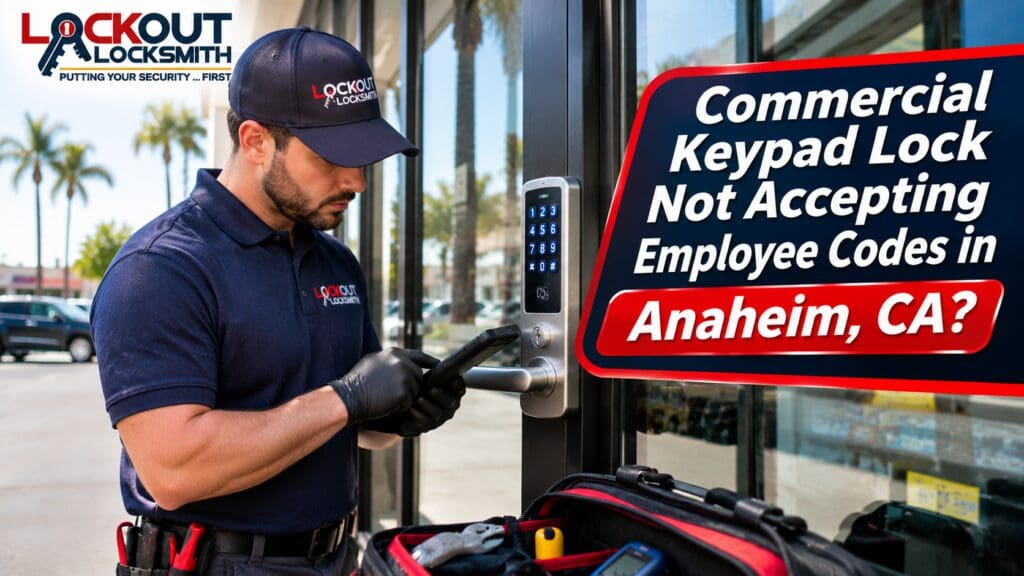
It’s 7:45 on a Monday morning. Your first employee arrives at the office, enters their usual access code, and waits for the keypad door lock to unlock.
Nothing happens.
They try again, carefully entering every digit. The keypad lights up, but the door stays locked.
A few minutes later, another employee arrives and experiences the same problem. Someone calls the manager, who has to leave what they’re doing to help everyone get inside.
For a business, a malfunctioning keypad lock is more than a minor inconvenience. It can delay opening hours, interrupt deliveries, affect employee schedules, and create uncertainty about building security.
If your commercial keypad door lock is not accepting employee codes, the cause could be surprisingly simple—or it could involve a problem that requires professional attention.
A weak battery, expired access credential, incorrect schedule, worn keypad button, electronic malfunction, or mechanical latch issue can all produce similar symptoms.
The challenge is identifying the real problem without accidentally disabling security settings or damaging the hardware.
For business owners and property managers in Anaheim, California, this guide explains why commercial keypad locks sometimes reject valid codes, which troubleshooting steps are safe, and when to contact a qualified locksmith.
Why Is My Commercial Keypad Door Lock Rejecting Employee Codes?
Commercial keypad locks combine access control and physical locking hardware.
Depending on the system, an employee enters a PIN that is checked against stored access information. If the code is valid and the system’s conditions are satisfied, the lock permits entry.
But several components must work together for that process to succeed.
The keypad must register the buttons correctly. The electronics must have adequate power. The code must remain authorized. The lock must be able to activate its release mechanism. And the door’s latch must move freely.
If any part of that process fails, the employee may be unable to enter.
Common causes include:
- Low or depleted lock batteries
- Incorrectly entered PINs
- Expired or deleted employee codes
- Access schedules restricting entry
- Temporary keypad lockout after repeated incorrect attempts
- Worn or unresponsive buttons
- Damaged electronic components
- Communication problems with connected access systems
- Mechanical latch or door alignment problems
- Incorrect programming after maintenance or replacement
One of the most useful clues is whether the problem affects one employee or everyone.
If only one employee’s code fails, the issue may involve that user’s access permissions.
If every authorized code stops working, a broader hardware, power, configuration, or system problem becomes more likely.
A professional commercial locksmith in Anaheim, CA can help identify the type of system and determine the appropriate next steps.
1. Weak Keypad Lock Batteries Can Cause Unreliable Operation
Many standalone commercial keypad locks use batteries to power their electronics.
Over time, battery capacity decreases.
Some locks provide low-battery warnings through indicator lights, audible signals, or connected management software.
Others may simply become unreliable as power drops.
Signs of a Battery Problem
You might notice:
- The keypad responds slowly.
- Indicator lights appear dim.
- The lock works intermittently.
- The keypad accepts a code but doesn’t release the latch.
- Low-battery warnings have appeared.
- The lock stops responding completely.
Battery behavior varies by manufacturer.
Some devices may continue accepting codes until power becomes too low to operate the locking mechanism.
What Should You Do?
Check the manufacturer’s instructions for the correct battery type and replacement procedure.
If your business has an authorized maintenance person, they may be able to replace the batteries according to the manufacturer’s guidance.
Avoid using incompatible batteries or mixing different battery types.
If the lock continues malfunctioning after proper battery replacement, a commercial keypad lock repair service in Anaheim may be needed.
2. An Employee Access Code May Have Expired
Not every keypad lock problem is mechanical.
Commercial access systems often allow managers to create individual employee codes.
Some codes remain active until an administrator removes them.
Others can be configured with expiration dates, temporary permissions, or restricted access periods.
This is useful for contractors, temporary employees, cleaning crews, and staff who need limited access.
However, an incorrectly configured expiration date can prevent authorized entry.
How to Identify an Expired Code
Check whether the employee previously had access and whether the problem began after a scheduled change.
An authorized administrator can review the code’s status through the manufacturer’s approved management interface.
If the code has expired, it may need to be renewed or replaced according to company policy.
Don’t share a manager’s master code as a shortcut.
A professional commercial keypad lock programming service may be able to help with supported systems when administrative configuration becomes confusing.
3. Access Schedules May Be Blocking Entry
Many businesses use time-based access rules.
For example, employees may be allowed to enter between 8:00 a.m. and 6:00 p.m., while managers have extended access.
This helps control building entry outside normal operating hours.
But scheduling mistakes can create unexpected lockouts.
Common Scheduling Issues
A valid employee code may be rejected because:
- The access window has ended.
- The schedule was changed accidentally.
- The device clock is incorrect.
- Daylight saving time settings are wrong.
- The employee was assigned to the wrong access group.
- A holiday schedule is active.
A code that works during business hours but fails in the evening may indicate a schedule-related restriction.
An authorized administrator should review the configured access rules before changing hardware.
If the system is integrated with other access control equipment, a qualified commercial access control locksmith in Anaheim or access control technician may be needed.
4. Repeated Incorrect Attempts May Trigger a Temporary Lockout
Some keypad systems include security features that temporarily disable code entry after multiple incorrect attempts.
The purpose is to discourage unauthorized guessing.
Unfortunately, an employee who enters the wrong PIN several times may trigger the same protection.
The keypad might flash, beep, display an error, or stop responding for a period of time.
What Should Employees Do?
Stop entering codes repeatedly.
Follow the manufacturer’s approved instructions or contact the designated administrator.
Avoid attempting random combinations or repeatedly resetting the device.
Some systems automatically restore normal operation after a specified period, while others require authorized administrative action.
The exact behavior depends on the manufacturer and configuration.
A business keypad door lock repair technician can help distinguish a normal security lockout from a malfunction when the problem persists.
5. Worn Keypad Buttons Can Prevent Correct Code Entry
Think about how many times a busy office keypad gets used.
Employees may enter codes dozens or hundreds of times per day.
Over time, certain buttons can become worn.
If one digit no longer registers consistently, employees may believe they entered the correct code even though the lock received something different.
Signs of Keypad Button Wear
You may notice:
- One button requires extra pressure.
- A digit responds inconsistently.
- The keypad has cracked or damaged buttons.
- The same code works only after several attempts.
- Employees report trouble with the same number.
Avoid pressing buttons aggressively or using sharp objects.
This can damage the keypad further.
A professional commercial electronic door lock repair service can inspect the hardware and determine whether the keypad component can be replaced separately.
Depending on the product, replacing the complete lock may be more practical.
6. Moisture, Dust, and Everyday Wear Can Affect Keypad Electronics
Commercial entrances are exposed to daily use and environmental conditions.
Exterior keypads may experience sunlight, dust, moisture, and temperature changes.
Even devices rated for outdoor use can develop problems if seals deteriorate or components are damaged.
Moisture intrusion can affect electronic contacts and circuit boards.
Dust and debris may also interfere with button movement.
Warning Signs of Environmental Damage
Look for visible cracks, corrosion, condensation, or damaged protective covers.
If the keypad behaves differently after rain or other weather changes, mention that pattern when requesting service.
Don’t spray household cleaners directly into electronic locks.
Use only cleaning and maintenance methods approved by the manufacturer.
A commercial smart lock repair service in Anaheim may be able to assess whether the equipment is repairable.
7. The Keypad May Accept the Code but Fail to Unlock the Door
Sometimes the keypad isn’t rejecting the PIN at all.
The electronics may recognize the code and indicate successful authorization, but the door remains locked.
That distinction matters.
If the system accepts the credential but the door doesn’t release, the problem may involve the mechanical or electrical locking mechanism.
Possible causes include:
- A faulty motor or actuator
- A damaged clutch
- A jammed latch
- A binding deadbolt
- A disconnected internal component
- Door and strike plate misalignment
- An electric strike or other release mechanism fault
Why Reprogramming May Not Help
Changing employee codes won’t repair a damaged latch or worn mechanical component.
A qualified commercial door lock repair service in Anaheim can inspect the hardware and determine whether the issue involves the keypad or the lock mechanism.
For related services, explore our Anaheim locksmith services.
8. Door Alignment Problems Can Prevent Electronic Locks From Releasing
A keypad lock may function electronically while the door itself causes mechanical resistance.
Commercial doors can shift because of hinge wear, frame movement, repeated impact, or other structural factors.
If the latch or deadbolt presses tightly against the strike plate, the locking mechanism may struggle to release.
Some motorized locks are particularly sensitive to mechanical binding.
Signs of Door Misalignment
You may notice:
- The door rubs against the frame.
- The lock works better when the door is open.
- The latch catches during closing.
- Employees must push or pull the door to get it to latch.
- The door closer causes excessive impact.
If the door is binding, the problem should be evaluated before replacing the electronic keypad.
A commercial door alignment and lock repair service may need to inspect the hinges, strike plate, latch, and frame together.
9. Connected Access Control Systems May Have Communication Problems
Some commercial keypads operate independently.
Others connect to controllers, management software, network infrastructure, or cloud-based access platforms.
When a connected system experiences communication problems, access behavior may change.
The result depends on how the system was designed and configured.
Some devices store credentials locally and continue functioning during network interruptions.
Others rely on communication with another component for certain operations.
What Should You Check?
An authorized administrator can review available system status messages and access logs.
Look for indications of controller problems, device disconnection, or configuration changes.
Avoid changing network or security settings without understanding the system.
A commercial access control repair service in Anaheim may be appropriate when the keypad is part of a larger electronic security installation.
10. Recent Programming Changes May Have Removed Employee Access
Did the problem begin after a new employee was added, a manager left, or the system was reset?
Administrative changes can affect who is authorized to enter.
An employee’s PIN may have been removed accidentally.
A group permission may have changed.
A reset may have cleared stored access information, depending on the system.
How to Prevent Configuration Mistakes
Maintain an authorized record of access permissions.
Use individual employee credentials rather than shared codes when the system supports them.
Limit administrative access to designated personnel.
Before making major changes, follow the manufacturer’s backup and recovery recommendations.
If the system no longer recognizes previously authorized codes, professional keypad door lock programming in Anaheim may be needed.
11. A Damaged Exterior Keypad May Need Replacement
Not every electronic lock can be repaired economically.
If the keypad housing is cracked, internal electronics are severely damaged, or compatible parts are unavailable, replacement may be the better long-term option.
However, replacement should consider more than appearance.
Commercial door hardware must match the door preparation, security needs, intended lock function, and applicable building requirements.
Choosing a Replacement System
Consider:
- Compatibility with existing door hardware
- Number of authorized users
- Access scheduling requirements
- Credential management features
- Battery or power requirements
- Weather resistance
- Maintenance needs
- Required emergency exit operation
A professional commercial keypad lock installation service in Anaheim can help assess suitable hardware for the application.
Avoid installing a residential-grade electronic lock on a commercial entrance without confirming that it meets the building’s requirements.
12. Emergency Exit Hardware Must Remain Functional
Commercial security should never come at the expense of safe emergency exit.
Depending on the door’s use and applicable codes, the building may require specific egress hardware or operating characteristics.
An exterior keypad may control authorized entry while the interior hardware permits exit.
That arrangement is common.
However, modifying the system incorrectly can affect required egress functions.
If an employee cannot exit through a designated exit door using the intended hardware, treat the situation as urgent and follow the building’s emergency procedures.
A qualified technician should evaluate any repair that affects an exit device, electrified lock, or access-controlled egress door.
Safe Troubleshooting Steps for Business Owners
Before replacing the keypad, collect a few details.
Step 1: Determine Whether One or All Codes Fail
If only one employee is affected, review that person’s access permissions.
If every authorized code fails, investigate power, hardware, or system-wide issues.
Step 2: Check for Low-Battery Warnings
Follow the manufacturer’s approved battery replacement instructions.
Step 3: Review Authorized Access Schedules
Confirm that the employee’s code is active during the intended hours.
Step 4: Stop Repeated Incorrect Attempts
If the keypad indicates a temporary lockout, follow the approved recovery procedure.
Step 5: Observe the Lock’s Response
Does it reject the code, accept the code without unlocking, or fail to respond entirely?
These are different symptoms.
Step 6: Look for Physical Damage
Check for visible cracks, loose hardware, or signs of moisture.
Don’t dismantle the electronic components without proper instructions.
Step 7: Contact a Qualified Professional
If the problem remains unresolved, arrange a diagnostic inspection.
A mobile commercial locksmith in Anaheim may be able to evaluate supported keypad lock hardware at your location.
Repair, Reprogram, or Replace: Which Is Right?
The correct solution depends on the failure.
| Problem | Potential Solution |
|---|---|
| Weak batteries | Correct battery replacement |
| Expired employee PIN | Authorized code renewal |
| Incorrect access schedule | Administrative schedule correction |
| Temporary security lockout | Manufacturer-approved recovery |
| Worn keypad buttons | Keypad repair or replacement |
| Damaged electronics | Component or lock replacement |
| Accepted code but jammed latch | Mechanical lock repair |
| Door misalignment | Door and strike adjustment |
| Connected system fault | Access control diagnosis |
| Incompatible or obsolete hardware | Suitable replacement system |
A professional commercial lock replacement service in Anaheim can help determine whether new hardware is necessary.
Reprogramming alone won’t fix every mechanical or electrical problem.
How Much Does Commercial Keypad Lock Repair Cost in Anaheim?
Pricing varies depending on the system and the problem.
A standalone battery-operated keypad is different from an integrated commercial access control installation.
Costs may depend on:
- Lock manufacturer and model
- Standalone or connected system
- Parts availability
- Mechanical or electronic damage
- Programming requirements
- Diagnostic labor
- Door and frame condition
- Mobile service requirements
- Emergency or after-hours assistance
When requesting emergency commercial locksmith service in Anaheim, ask about service call charges, diagnostic fees, replacement parts, programming, and labor.
A reliable estimate may require an on-site inspection.
Avoid purchasing expensive replacement hardware before identifying the cause.
Why Individual Employee Codes Matter
Individual PINs can make commercial access management easier.
When multiple employees share one code, it’s difficult to determine who used it or revoke one person’s access without affecting everyone.
Systems that support individual credentials can allow administrators to assign permissions based on job responsibilities.
They may also support access schedules and activity logs.
However, these features vary by manufacturer.
A business should establish clear procedures for issuing, updating, and removing access credentials.
For additional commercial security information, read our commercial locksmith guide for Anaheim.
How to Prevent Future Commercial Keypad Lock Problems
Preventative maintenance can reduce unexpected access interruptions.
Replace Batteries According to Manufacturer Guidance
Don’t wait until the device stops responding.
Review Employee Access Regularly
Remove credentials that are no longer authorized.
Keep Administrative Access Secure
Limit programming permissions to designated personnel.
Inspect High-Traffic Keypads
Worn buttons and damaged housings should be addressed early.
Maintain Door Alignment
A reliable electronic lock still depends on a properly functioning door.
Keep Manufacturer Documentation Available
Authorized staff should know where to find approved operating and recovery procedures.
Schedule Professional Maintenance
A qualified commercial locksmith service in Anaheim can help identify developing mechanical lock problems.
Commercial Locksmith Services in Anaheim and Nearby Cities
Lockout Locksmith provides commercial locksmith services in Anaheim and surrounding communities.
Explore these local service pages:
- Anaheim Locksmith Services
- Fullerton Locksmith Services
- Orange Locksmith Services
- Garden Grove Locksmith Services
- Buena Park Locksmith Services
- Santa Ana Locksmith Services
Call to confirm current availability and support for your specific keypad lock or access control system.
Frequently Asked Questions
1. Why is my commercial keypad lock not accepting the correct code?
Possible causes include weak batteries, expired credentials, incorrect access schedules, temporary security lockout, damaged buttons, or electronic faults.
2. Can a low battery cause a keypad door lock to reject employee codes?
Yes. Depending on the model, low power may cause unreliable keypad operation or prevent the locking mechanism from releasing.
3. Why does one employee’s code fail while other codes work?
The employee’s code may have expired, been deleted, or have different access permissions. An authorized administrator should review the credential settings.
4. What if the keypad accepts the code but the door stays locked?
The problem may involve a faulty actuator, clutch, latch, electric strike, or door alignment rather than the PIN itself.
5. Can a locksmith reprogram a commercial keypad lock?
For supported hardware, a qualified locksmith may be able to assist with authorized programming, code management, or troubleshooting.
6. How much does commercial keypad lock repair cost in Anaheim?
Pricing depends on the lock type, diagnosis, parts, programming, labor, and service requirements. Contact Lockout Locksmith for service information.
7. Should I replace my commercial keypad lock if employee codes stop working?
Not necessarily. The issue may be resolved through approved battery replacement, access management, or repair. Replacement may be appropriate for damaged or incompatible hardware.
8. Is emergency commercial locksmith service available in Anaheim?
Lockout Locksmith advertises 24-hour locksmith services. Call +1 (747) 758-4842 to confirm technician availability and support for your hardware.
Need Commercial Keypad Door Lock Help in Anaheim, CA?
When a commercial keypad stops accepting employee codes, the problem can affect more than convenience.
It can delay opening hours, disrupt staff access, and create uncertainty about security.
The cause may be a simple battery issue, an expired access credential, a worn keypad, or a mechanical locking problem.
Instead of repeatedly guessing codes or replacing equipment unnecessarily, identify the symptoms and seek appropriate professional assistance.
Lockout Locksmith provides commercial locksmith services in Anaheim and surrounding Orange County communities.
Lockout Locksmith
1096 N Anaheim Blvd, Anaheim, CA 92801
Phone: +1 (747) 758-4842
Hours: Open 24 Hours
Website: https://lockoutlocksmithservices.com/
Google Maps: https://www.google.com/maps/place/?cid=3484008992119144057
Call +1 (747) 758-4842 to discuss your commercial keypad lock problem and request locksmith assistance in Anaheim, California.