
Smart Lock Installation Near Me | Professional Locksmith in Orange County
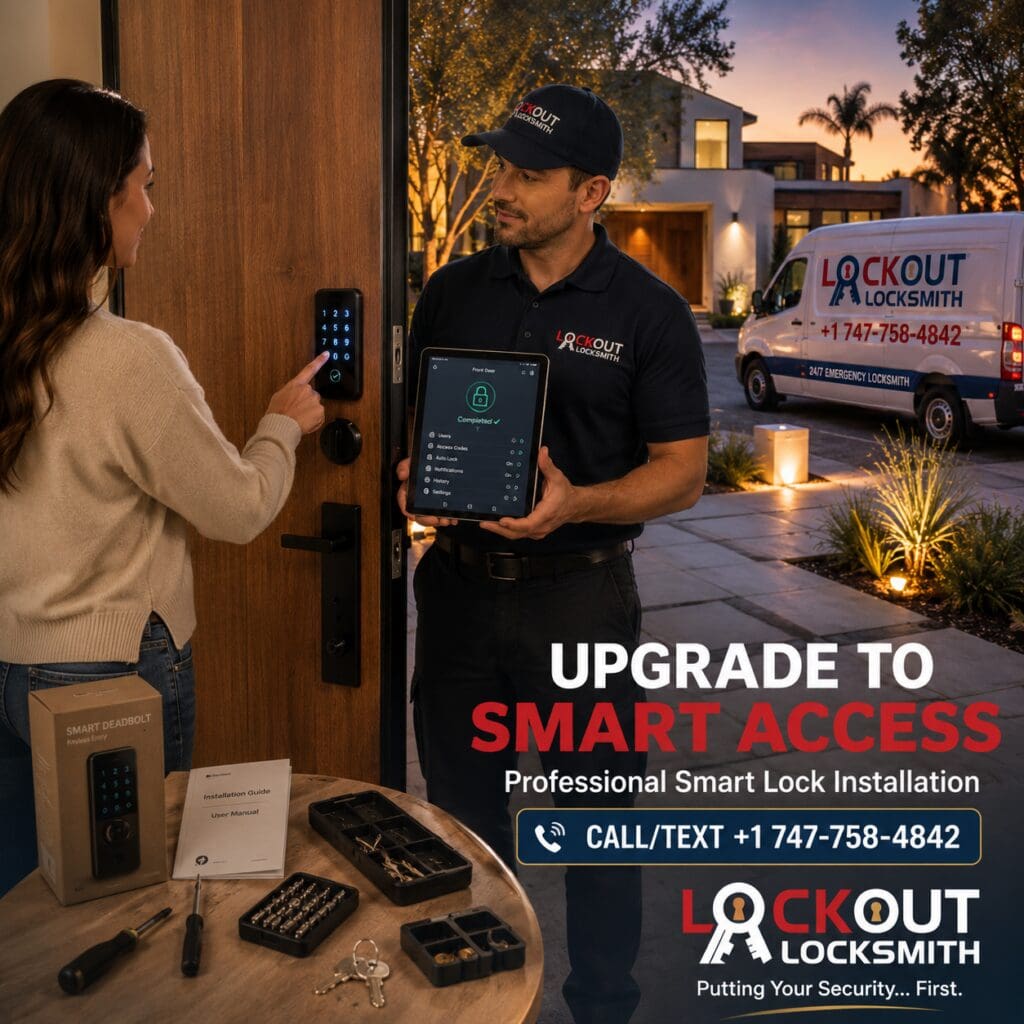
Keys have worked for generations, but the way homeowners manage access to their homes is changing.
Maybe you want to stop handing out spare keys to family members. Maybe you’d like a keypad on the front door so you don’t have to search your pockets every time you arrive home. Perhaps you’ve already purchased a smart deadbolt but aren’t completely confident that it fits your existing door. Or you may simply want to replace an older mechanical lock with a more convenient keyless system.
Those are common reasons homeowners search for “smart lock installation near me.”
But installing a smart lock isn’t just about attaching an electronic device to a door and downloading an app. A smart lock is still part of a physical locking system. The deadbolt needs to fit correctly, the bolt needs to align with the strike, the door needs to close properly, and the hardware should operate smoothly before electronic features are configured.
Lockout Locksmith provides mobile residential locksmith services throughout Orange County for homeowners and other authorized customers who need professional smart-lock, keypad-lock, and compatible keyless-entry installation.
Need a Smart Lock Installed?
Call/Text: +1 747-758-4842
Lockout Locksmith — Putting Your Security… First.
Why Are Orange County Homeowners Installing Smart Locks?
Convenience is one of the biggest reasons.
Traditional house keys aren’t necessarily inconvenient until you start thinking about how many people need access to a property.
A household might include:
- Parents
- Teenagers
- Adult children
- Relatives
- Housekeepers
- Pet sitters
- Other authorized visitors
With a traditional lock, managing access often means managing physical keys.
Compatible electronic locks can provide different options depending on the specific model.
A homeowner may be interested in:
- Keypad access
- Keyless entry
- Electronic credentials
- Temporary codes
- Scheduled access
- App-supported controls
- Easier household access management
Not every smart lock provides all of these features, so hardware should be selected based on the manufacturer’s actual specifications rather than the word “smart” on the packaging.
What Does Professional Smart Lock Installation Include?
A proper professional smart lock installation should begin with the door—not the app.
Before configuring electronic features, the technician needs to determine whether the lock physically fits and operates correctly.
Depending on the door and product, installation can involve:
- Inspecting the existing door and lock configuration.
- Confirming compatibility with the selected smart lock.
- Removing compatible existing hardware where appropriate.
- Installing the new exterior and interior components.
- Checking deadbolt alignment.
- Testing manual operation.
- Installing or confirming the required power source.
- Completing supported lock setup.
- Testing keypad or electronic access features.
- Verifying that the lock operates normally with the door open and closed.
The exact process varies by product.
That’s why a smart lock locksmith near me should treat the manufacturer’s instructions as part of the installation rather than assuming every electronic lock works the same way.
Smart Lock Installation Starts With the Door
This point deserves emphasis.
You can purchase an expensive smart lock with attractive features, excellent design, and sophisticated electronics.
But if the deadbolt binds every time the door closes, those features don’t fix the mechanical problem.
A smart deadbolt still depends on:
- Correct door preparation
- Appropriate backset
- Suitable door thickness
- Proper bolt movement
- Correct strike alignment
- Stable mounting
- Normal door operation
Think of the electronics as being built on top of the mechanical installation.
If the foundation is wrong, the smart features don’t solve it.
Can a Smart Lock Replace Your Existing Deadbolt?
Often, certain smart locks are designed to replace or work with common residential deadbolt configurations.
But often is not the same as always.
Before purchasing hardware, check the product’s requirements against your door.
Important factors can include:
Door Thickness
The hardware must support the thickness of the door.
Backset
The existing preparation needs to match a configuration supported by the lock.
Bore Preparation
The existing openings need to meet the product’s installation requirements.
Deadbolt Type
Some products replace more of the existing hardware than others.
Clearance
Decorative trim, handles, glass, molding, or nearby hardware can affect fit.
Door Handing or Orientation
Follow the specific product’s requirements where applicable.
If you’re unsure, a smart lock installer near me can evaluate the existing door before installation.
What If Your Door Doesn’t Currently Have a Deadbolt?
This changes the project.
Installing a smart deadbolt into an existing compatible deadbolt opening is different from adding a deadbolt to a door that has never had one.
A new installation may require proper door and frame preparation before the electronic hardware can even be mounted.
This can involve evaluating:
- Deadbolt location
- Existing lever or knob placement
- Door construction
- Backset
- Door thickness
- Strike position
- Frame condition
If new deadbolt preparation is needed, your Deadbolt Installation Near Me article becomes a natural supporting internal link.
The key point is that buying a smart lock doesn’t automatically create the physical preparation needed to install it.
Smart Lock vs. Keypad Lock: What’s the Difference?
Consumers often use these terms interchangeably, but they don’t necessarily describe the same thing.
Keypad Lock
A keypad lock generally provides code-based entry.
Depending on the product, it may operate independently without broader connected features.
For many homeowners, that simplicity is exactly what they want.
Smart Lock
A smart lock may provide additional electronic functionality depending on its design and supported ecosystem.
Features can vary considerably by model.
Some products may support combinations of:
- Keypad entry
- Electronic credentials
- App functionality
- Temporary access
- Activity information
- Compatible integrations
The best option depends on what you actually need.
If all you want is to stop carrying a key every time you walk the dog, a straightforward keypad deadbolt may satisfy your goal.
If you want additional access-management features, a compatible smart lock may be more appropriate.
Keypad Lock Installation Near Me
A keypad lock installation near me can be attractive for households that want simple code-based access.
Imagine arriving home carrying grocery bags.
Instead of setting everything down to search for a key, you enter an authorized code and unlock the door.
That convenience can also be useful when different members of a household need regular access.
But keypad convenience doesn’t eliminate the need for good physical installation.
The deadbolt still needs to:
- Extend smoothly
- Retract smoothly
- Align with the strike
- Sit correctly on the door
- Operate without unnecessary resistance
If the keypad lock is motorized, mechanical resistance becomes particularly important because the electronic mechanism shouldn’t constantly struggle against poor alignment.
Keyless Entry Installation for Your Home
The phrase keyless entry installation can describe several different residential access setups.
Some homeowners want a keypad.
Others want a smart deadbolt with connected functionality.
Some products may retain a traditional keyed backup, while others use different backup-access arrangements.
Before choosing a product, ask yourself:
What problem am I actually trying to solve?
Is your goal:
- Fewer physical keys?
- Easier access for family?
- Temporary authorized access?
- A more convenient front door?
- Replacing unreliable existing hardware?
- Adding electronic access to a rental or secondary property?
- Updating the appearance of your entryway?
Your answer should guide the hardware selection.
Do Smart Locks Still Have Physical Keys?
Some do, while others use different configurations.
Don’t assume that every electronic lock includes—or excludes—a traditional key cylinder.
If having a mechanical key option is important to you, verify it before purchasing.
Likewise, think about how you would regain authorized access if the primary electronic method isn’t available.
A good smart-lock decision includes consideration of both daily access and backup access.
What Happens If the Smart Lock Battery Dies?
Battery-powered locks require maintenance.
The exact low-battery warnings, emergency power options, backup access methods, and battery-replacement procedures depend on the manufacturer and model.
Follow the product’s documentation rather than assuming every smart lock behaves the same way.
A sensible household routine is to treat smart-lock batteries like other important household batteries:
Don’t wait until the device becomes unreliable before paying attention to warnings.
If a particular model provides low-battery notifications, respond to them rather than ignoring them for weeks.
Can a Locksmith Install a Smart Lock You Bought Online?
Often, yes—provided the hardware is compatible with the door and the requested installation is appropriate.
Homeowners frequently purchase smart locks from retailers before contacting a residential locksmith near me.
If you’ve already purchased the product, provide the exact brand and model when arranging the appointment.
Photographs can also be useful.
Consider providing images of:
- Front of existing lock
- Interior side of existing lock
- Door edge
- Existing deadbolt
- Overall door
- Product packaging/model information
This may help identify obvious compatibility issues before the technician arrives.
Should You Buy the Smart Lock Before Calling the Locksmith?
You can, but you don’t have to.
If you understand your door configuration and know which product you want, purchasing first may be convenient.
If you’re uncertain about compatibility, asking before buying can save time.
A common frustrating scenario looks like this:
Step 1: Homeowner buys expensive smart lock.
Step 2: Package is opened.
Step 3: Existing door configuration doesn’t match the product requirements.
Step 4: Homeowner discovers additional preparation or different hardware is needed.
A short compatibility discussion before purchase can sometimes prevent that situation.
What If Your Existing Deadbolt Is Difficult to Lock?
This should be addressed before installing the smart lock.
Suppose your existing deadbolt only locks when you pull the door firmly toward you.
Installing a motorized smart deadbolt into the same problematic alignment doesn’t necessarily solve anything.
The new motor may encounter the same resistance.
Tell the locksmith if you currently need to:
- Push the door
- Pull the door
- Lift the handle
- Apply pressure
- Jiggle the lock
- Force the key
Those symptoms provide useful information.
A professional smart lock installer should evaluate the physical operation of the door and deadbolt rather than treating the electronics as an isolated device.
Why Strike Alignment Matters With Smart Deadbolts
The deadbolt extends into the strike area when the door locks.
If the bolt doesn’t align properly, you may notice:
- Binding
- Partial extension
- Resistance
- Inconsistent locking
- Motor struggling on compatible electronic locks
The solution isn’t necessarily to keep retrying the electronic command.
The mechanical relationship between the door, bolt, and strike should be evaluated.
This is one of the strongest reasons that electronic door lock installation and ordinary locksmith knowledge overlap.
Can a Smart Lock Fix a Sagging Door?
No smart feature can physically straighten a significantly sagging or structurally damaged door.
If the door has major alignment or frame problems, those conditions may need appropriate repair.
A locksmith can address lock-related installation and alignment issues within the scope of the service, but significant structural problems may require another qualified professional.
Installing expensive electronics onto a door with unresolved physical problems can lead to a frustrating result.
Smart Lock Installation for a New Home
Moving into a new home is an excellent time to review how you want household access to work.
But don’t automatically throw away every existing lock.
Inspect the property first.
You may find:
Front Door
Good candidate for a smart-lock upgrade.
Side Door
Existing deadbolt works properly and may only need rekeying.
Garage Entry
Existing compatible hardware may be adequate.
Back Entrance
Different access requirements may make a traditional lock preferable.
A thoughtful security plan doesn’t require identical technology on every door.
Use the right solution for each entrance.
Should Every Door Have a Smart Lock?
Not necessarily.
Some homeowners like having electronic access at the primary entrance while keeping other doors equipped with conventional deadbolts.
Factors to consider include:
- How often the entrance is used
- Who needs access
- Desired convenience
- Maintenance preferences
- Hardware compatibility
- Budget
- Property rules
More technology isn’t automatically better.
The goal is useful, reliable access—not turning every door into a gadget.
Smart Lock Installation for Rental Properties
Smart locks can be attractive to landlords and property managers because electronic access may offer useful management features on compatible systems.
However, rental properties introduce additional considerations.
Before changing hardware, consider:
- Lease terms
- Tenant access rights
- Property-management policies
- Applicable local requirements
- Emergency-access needs
- Authorized credential management
- Existing master-key arrangements where relevant
Any lock modification should be performed with proper authorization.
A locksmith should not be used to bypass lawful occupancy or tenant-access rights.
Smart Lock Installation for Condos
Condo owners should check association or building requirements before changing exterior door hardware.
Some communities may regulate:
- Exterior appearance
- Lock finish
- Hardware type
- Electronic devices
- Building access systems
- Approved modifications
A smart lock that physically fits the door may still conflict with building rules.
Check first, especially if the exterior portion of the hardware will visibly change.
Can You Install a Smart Lock on an Apartment?
Potentially, but renters shouldn’t assume they can permanently modify the unit’s lock hardware.
Before arranging digital door lock installation, review:
- Lease terms
- Landlord permission
- Property policies
- Existing key system
- Required management access
If the apartment is part of a managed access system, changing the lock independently can create complications.
Smart Lock Installation vs. Lock Rekeying
These services solve different problems.
Rekeying
The existing compatible lock remains in place, but its key configuration is changed so the old key no longer operates it.
This is primarily a key-control solution.
Smart Lock Installation
The goal is to install compatible electronic locking hardware and provide the supported access functionality of that product.
This is primarily an access upgrade.
If you’ve just moved and your existing deadbolt is excellent, rekeying may be all you need.
If you specifically want keypad or electronic access, smart-lock installation becomes relevant.
Don’t buy new technology just to solve a problem that could be addressed more simply.
Smart Lock Installation vs. Lock Replacement
Again, intent matters.
A lock replacement near me search often means:
“My current lock is damaged, worn, or needs to be replaced.”
A smart lock installation near me search usually means:
“I want electronic or keyless access installed.”
Those can overlap, but they aren’t identical.
If an old deadbolt is failing and you already wanted smart access, replacing it with compatible smart hardware may address both goals.
If the old deadbolt works perfectly and you only need different physical keys, rekeying may be more economical.
DIY Smart Lock Installation vs. Professional Installation
Some smart locks are specifically designed with homeowner installation in mind.
If you have a compatible, properly prepared door and you’re comfortable following the manufacturer’s instructions, DIY installation may be possible.
But professional installation becomes more useful when:
- You’re unsure about compatibility
- Door preparation needs modification
- Deadbolt currently binds
- Strike alignment is poor
- Existing hardware is unusual
- Door is expensive or custom
- You want a clean professional fit
- Several locks are involved
- You’re uncertain whether the problem is the lock or the door
The most important thing is not who tightens the screws.
It’s whether the finished lock fits and operates properly.
Common Smart Lock Installation Mistakes
Buying Before Checking Compatibility
A product can have excellent reviews and still be wrong for your door.
Ignoring Existing Deadbolt Resistance
If the old bolt binds, determine why before installing motorized hardware.
Incorrect Mounting
The lock needs to sit correctly according to its installation requirements.
Poor Strike Alignment
The bolt should not constantly fight against the frame.
Skipping Mechanical Testing
Test the deadbolt mechanically before relying on electronic functions.
Assuming Every Feature Works Automatically
Some functions may require specific setup, compatible devices, accounts, networks, or other manufacturer-defined conditions.
Forgetting Backup Access
Understand the product’s supported backup-access method before relying on it as your primary entrance.
Ignoring Battery Maintenance
Electronic convenience comes with basic maintenance responsibilities.
How Long Does Smart Lock Installation Take?
There isn’t one universal installation time.
A straightforward installation on a compatible, correctly prepared door differs from a project involving:
- New door preparation
- Alignment problems
- Unusual hardware
- Multiple locks
- Additional configuration
- Existing lock damage
- Door or frame issues
When scheduling a home smart lock installation, tell the locksmith whether the door already has a deadbolt and provide the product model if you’ve purchased one.
That creates a more realistic expectation of the work involved.
Same-Day Smart Lock Installation in Orange County
Some homeowners plan their upgrade weeks in advance.
Others have already purchased the hardware and want it installed as soon as practical.
A same-day locksmith may potentially assist depending on technician availability, location, product compatibility, hardware requirements, and the work needed.
If you’re supplying the smart lock yourself, have the exact product information ready when you call.
If you need hardware supplied, explain what features you’re looking for rather than simply asking for “the best smart lock.”
Mobile Smart Lock Locksmith in Orange County
A mobile locksmith near me can evaluate the door at the property, where compatibility and alignment can be assessed directly.
Lockout Locksmith’s residential services may include:
✓ Smart Lock Installation
✓ Keypad Lock Installation
✓ Keyless Entry Installation
✓ Smart Deadbolt Installation
✓ Traditional Deadbolt Installation
✓ Lock Replacement
✓ Residential Lock Rekeying
✓ House Lockout Assistance
The correct service depends on your existing hardware and what you’re trying to accomplish.
Smart Lock Installation Throughout Orange County
Lockout Locksmith provides mobile residential locksmith services throughout Orange County and surrounding service areas, subject to technician availability and the specific service requested.
Service areas can include Anaheim, Orange, Fullerton, Placentia, Brea, Buena Park, Santa Ana, Garden Grove, Tustin, Costa Mesa, Fountain Valley, Huntington Beach, Westminster, Cypress, Stanton, La Habra, Los Alamitos and nearby Orange County communities.
For your site’s SEO structure, avoid stuffing this article with dozens of repetitive city-keyword combinations.
The primary article should target smart lock installation near me + Orange County, while individual city pages can capture stronger city-specific locksmith searches.
Need Smart Lock Installation Near You?
A smart lock can make everyday access more convenient, but good installation begins with something decidedly non-digital:
the door.
The lock needs to fit correctly. The deadbolt needs to move smoothly. The strike needs to align. The door needs to close normally.
Once those fundamentals are right, the supported electronic features can be configured and tested.
Whether you’re upgrading your front door, adding keypad access, installing a homeowner-purchased smart deadbolt, or reviewing access options for a new home, choose hardware based on compatibility and the features you genuinely need.
For professional residential locksmith service in Orange County:
Call/Text +1 747-758-4842
Lockout Locksmith
Smart locks can make everyday access more convenient, but the technology is only one part of the installation.
A homeowner may spend considerable time comparing keypad designs, mobile-app features, connectivity options, finishes, and access controls. Yet the success of the installation still depends on basic physical details: Does the lock fit the door? Does the deadbolt move freely? Is the strike properly aligned? Can the door lock without being pushed or pulled?
Those details matter whether you’re installing a straightforward keypad deadbolt or a more connected smart-lock system.
For homeowners searching for smart lock installation near me, Lockout Locksmith provides mobile residential locksmith services throughout Orange County.
Call/Text: +1 747-758-4842
Lockout Locksmith — Putting Your Security… First.
How Much Does Smart Lock Installation Cost?
There isn’t one universal price for professional smart lock installation because not every door or smart lock requires the same work.
For example, installing compatible hardware into an existing properly prepared deadbolt opening can be substantially different from preparing a door that has never had a deadbolt.
Factors that can affect the scope and price include:
- Smart-lock model
- Existing lock configuration
- Door thickness
- Backset
- Existing bore preparation
- Condition of the door
- Strike alignment
- Frame condition
- Whether additional preparation is required
- Keypad vs. more advanced electronic hardware
- Number of doors
- Customer-supplied vs. locksmith-supplied hardware
- Additional mechanical adjustments
- Location within Orange County
- Service timing
When contacting a smart lock installer near me, provide the model of the lock if you’ve already purchased it.
You can also explain the current setup:
“My front door already has a standard deadbolt. I purchased a compatible smart deadbolt and want it professionally installed.”
That’s more useful than simply asking for the price of “installing a lock.”
What Can Make Smart Lock Installation More Complicated?
Many installations are relatively straightforward when the product and door are compatible.
Complications are more likely when:
The Door Has No Existing Deadbolt Preparation
The door and frame may require appropriate preparation before a smart deadbolt can be installed.
The Existing Deadbolt Binds
If the old bolt doesn’t operate smoothly, the underlying alignment issue should be evaluated.
The Door Is Unusually Thick
The selected product may have specific dimensional requirements.
Decorative Trim Limits Clearance
Large handlesets, molding, glass inserts, or decorative components can affect available installation space.
Existing Holes Don’t Match
Older or unusual hardware preparation may not correspond with the new lock’s requirements.
The Door Is Misaligned
New electronics won’t automatically correct a physical door problem.
This is why checking compatibility before purchasing can save both time and frustration.
Homeowners often start shopping by comparing connectivity.
Wi-Fi, Bluetooth, Keypad or Electronic Lock: What Should You Choose?
That’s useful, but begin with your actual access needs.
Keypad Access
If your main goal is entering with an authorized code instead of routinely using a key, a compatible keypad lock may provide the functionality you need.
Bluetooth-Based Features
Some smart locks may support functions that depend on nearby compatible devices.
Exactly how those features work depends on the product.
Wi-Fi or Network-Connected Features
Certain systems may offer broader connected functionality, either directly or through compatible components.
Again, features vary by manufacturer and model.
Traditional Key Backup
Some homeowners specifically prefer electronic hardware that retains a mechanical key option.
Others choose products with different backup arrangements.
Rather than asking, “Which technology is best?”, ask:
“Which access method best fits how my household actually uses this door?”
Then choose compatible hardware that provides those features.
Smart Lock Installation for Families
Smart locks can be particularly convenient in busy households.
Imagine a family with two adults and several children.
Instead of making multiple physical keys, compatible electronic access can potentially give household members an easier way to enter.
Depending on the product’s supported features, homeowners may also be able to manage different authorized credentials.
The exact capabilities should always be confirmed with the manufacturer.
The practical advantage is simpler access management—not technology for technology’s sake.
Smart Locks for Housekeepers, Pet Sitters and Other Authorized Visitors
Another reason homeowners search for keyless entry installation near me is occasional authorized access.
Maybe a pet sitter needs to enter while you’re away.
Perhaps a relative visits regularly.
Or a housekeeper needs scheduled access.
Certain electronic locks may provide access-management features designed for these situations.
However, don’t assume every lock supports temporary codes, schedules, remote changes, or detailed activity information.
If those features are important, confirm them before purchasing the lock.
Can Smart Locks Be Installed on Side and Back Doors?
Potentially, if the specific door and hardware are compatible.
However, there’s no rule saying every exterior door needs identical electronic hardware.
You might choose:
Front entrance: Smart deadbolt.
Side entrance: Traditional deadbolt.
Garage-to-house entrance: Keypad lock.
Another exterior entrance: Existing compatible mechanical hardware.
Your setup should reflect how each entrance is actually used.
A residential locksmith near me can evaluate multiple doors and help separate installation needs from unnecessary upgrades.
Should You Install Smart Locks on Every Exterior Door?
Usually, this is a preference rather than a requirement.
Installing electronic locks everywhere can increase:
- Hardware cost
- Battery maintenance
- Setup requirements
- Number of devices to manage
For some households, that tradeoff is worthwhile.
For others, one electronic primary entrance combined with reliable mechanical locks elsewhere is simpler.
A good residential security setup doesn’t need to be technologically complicated.
Smart Lock Installation on a New Front Door
If you’re replacing the entire front door, plan the locking hardware early.
Before the door project is completed, decide whether you want:
- Traditional deadbolt
- Keypad deadbolt
- Compatible smart deadbolt
- Handleset plus separate deadbolt
- Other appropriate hardware
Planning ahead allows the door preparation and selected lock to work together.
It’s much better than buying an expensive lock afterward and discovering that the door was prepared for a different configuration.
Existing Smart Lock Replacement
Smart locks don’t last forever.
If existing electronic hardware becomes physically damaged or no longer serves your needs, you may consider replacement.
Before replacing it, determine what actually failed.
The problem could involve:
- Lock hardware
- Alignment
- Power
- Configuration
- Another product-specific issue
If the physical hardware needs replacement, a smart lock replacement near me service can evaluate whether the existing door preparation can accept the new compatible model.
Avoid assuming that every new smart lock is a direct drop-in replacement for the old one.
Smart Lock vs. New Deadbolt Installation
These pages should have separate SEO intent on your website.
Your Deadbolt Installation Near Me article should primarily answer:
“I need a deadbolt added to my door.”
Your Smart Lock Installation Near Me article answers:
“I specifically want electronic, keypad, or smart access installed.”
Sometimes both services overlap.
For example, a homeowner with no existing deadbolt may want a new smart deadbolt. In that case, the door preparation and smart-lock installation become part of the same overall project.
Internal linking between these articles helps users understand the relationship without making both pages target exactly the same intent.
Smart Lock vs. Rekeying After Moving
Suppose you’ve just purchased an Orange County home.
The existing traditional deadbolt works perfectly, but you don’t know who still has copies of the old key.
There are two separate questions:
Do you want to change key control?
Compatible lock rekeying may address that.
Do you want to change how you enter the house?
A smart-lock upgrade may address that.
Don’t confuse the two.
You don’t necessarily need a smart lock merely because you’ve moved into a previously occupied home.
But moving can be a convenient time to upgrade if electronic access was something you already wanted.
Smart Lock vs. Complete Lock Replacement
Similarly, not every failing lock needs to become a smart lock.
If you simply need damaged hardware replaced, traditional replacement hardware may meet your needs.
Smart locks make the most sense when you actually value the electronic access features.
This keeps your Lock Change Near Me page focused on physical lock replacement while this article targets the electronic-access audience.
What Should Happen After Smart Lock Installation?
Don’t consider the job finished the moment the hardware appears on the door.
The finished system should be tested.
A useful post-installation check includes:
1. Test the Deadbolt With the Door Open
Confirm that the bolt extends and retracts normally.
2. Test With the Door Closed
Verify that alignment doesn’t create unnecessary resistance.
3. Test the Keypad
Where applicable, confirm that authorized keypad access operates as expected.
4. Test Mechanical Backup
If the model includes a keyed backup, verify appropriate operation.
5. Review Battery Installation
Confirm batteries are installed according to manufacturer requirements.
6. Complete Supported Setup
Follow the manufacturer’s instructions for electronic configuration.
7. Understand Backup Access
Know what the product’s supported backup-access procedure is before you actually need it.
8. Keep Product Information
Save relevant instructions, model details, and manufacturer information for future maintenance.
Why You Should Test the Lock Before Connecting Everything
Mechanical testing should come early.
Imagine spending time configuring the app, credentials, household users, and other electronic functions.
Then you close the door and discover the deadbolt binds against the strike.
Now you’re troubleshooting two layers at once:
mechanical + electronic.
It’s much easier to establish that the physical lock works properly first.
Then configure the supported electronic features.
What If Your Smart Lock Won’t Lock After Installation?
Don’t immediately assume the electronics are defective.
First determine whether the issue is mechanical or electronic.
For example:
Does the deadbolt operate smoothly with the door open?
If yes, but it struggles when the door is closed, door/strike alignment deserves attention.
Does the bolt bind even with the door open?
Installation or hardware may need to be inspected.
Does manual operation work but an electronic function doesn’t?
The issue may relate to product setup, power, or another manufacturer-specific factor.
Avoid repeatedly forcing the lock.
Diagnosing the category of problem is more useful than repeatedly retrying the same command.
What If the Smart Lock Keeps Draining Batteries?
Battery life depends on the specific product, usage, environmental conditions, configuration, and potentially mechanical resistance.
If a motorized deadbolt constantly struggles against poor alignment, that’s one physical condition worth investigating.
However, battery problems can have other causes.
For product-specific battery behavior, troubleshooting steps, and expected battery life, use the manufacturer’s guidance.
A locksmith can evaluate the physical lock installation, but manufacturer support may be more appropriate for software, firmware, account, or product-specific electronics.
Who Handles the App Setup?
This depends on the service and product.
A locksmith may help confirm that the installed hardware is functioning and may assist with supported initial configuration where appropriate.
However, account credentials, passwords, personal mobile devices, cloud accounts, and private access management should remain under the homeowner’s control.
For security, the homeowner should ultimately control:
- Account credentials
- Administrator access
- Household user permissions
- Access codes
- Connected accounts
Don’t unnecessarily share permanent passwords with service providers.
Smart Lock Privacy and Account Security
Physical installation isn’t the only security consideration with connected devices.
For a smart lock using online accounts or apps, follow good digital-security practices.
That can include:
- Using a strong unique password
- Enabling available account-security features
- Keeping authorized users current
- Removing access that is no longer needed
- Maintaining the manufacturer’s supported software
- Reviewing product privacy and security documentation
The locksmith handles the physical installation.
Your account security remains an ongoing homeowner responsibility.
What Happens During a Power Outage?
This depends on the lock.
Many residential electronic locks use batteries, but exact operation and backup-access methods vary.
Don’t rely on assumptions.
Read the documentation for the specific product you’re considering and understand how authorized access works when:
- Home power is unavailable
- Network connectivity is unavailable
- Phone access isn’t available
- Lock batteries are low
Knowing the answer before installation is much better than discovering it during an actual access problem.
What Happens if Wi-Fi Goes Down?
Again, product behavior varies.
Some functions may depend on network connectivity while other forms of access may continue to work, depending on the product architecture.
If network-independent access is important to you, confirm exactly how the lock operates before purchasing.
This is especially important for a primary residential entrance.
Is a Smart Lock Right for an Older Home?
Potentially.
The age of the house alone doesn’t determine compatibility.
The actual door matters more.
An older Orange County home may have:
- Nonstandard preparation
- Older hardware
- Custom doors
- Different door thickness
- Decorative trim
- Alignment issues from years of movement
Inspect the existing entry before assuming a modern electronic deadbolt will install without modification.
Can Smart Locks Be Installed on Custom Doors?
Potentially, but custom or expensive doors deserve extra care.
Before modifying the door, verify:
- Product compatibility
- Door construction
- Existing preparation
- Hardware clearance
- Manufacturer requirements
A mistake on an ordinary replaceable door is inconvenient.
A mistake on an expensive custom entry door can be much more costly.
That’s a strong reason to use a professional smart lock installer near me when you’re uncertain about preparation.
How to Choose a Smart Lock Without Overcomplicating It
Start with five questions:
- Does it fit my door?
- How do I want to unlock it every day?
- What backup access does it support?
- Which electronic features will I actually use?
- Am I comfortable maintaining it?
Only after those questions should you start comparing cosmetic finishes and extra features.
The best smart lock isn’t necessarily the one with the longest feature list.
It’s the one that appropriately fits your door and your routine.
Commercial Smart-Lock Keywords Covered Naturally
This article now supports a strong cluster of transactional and local phrases without turning every paragraph into keyword stuffing:
- smart lock installation near me
- smart lock installer near me
- smart lock locksmith near me
- professional smart lock installation
- keypad lock installation near me
- keyless entry installation near me
- electronic door lock installation
- smart deadbolt installation
- front door smart lock installation
- home smart lock installation
- digital door lock installation
- smart lock replacement near me
- residential locksmith near me
- mobile locksmith near me
- same-day locksmith Orange County
- Orange County locksmith
- residential lock installation
Don’t artificially add each exact phrase another 10 times. The content already establishes the topical relationship.
Frequently Asked Questions About Smart Lock Installation
1. How much does smart lock installation cost?
The cost depends on the lock, existing door preparation, door condition, alignment, installation requirements, location, number of locks, and whether additional work is required.
2. Can a locksmith install a smart lock I already purchased?
Often, yes, provided the hardware is compatible with the door and intended application. Providing the exact model before the appointment can be helpful.
3. Can a smart lock replace my existing deadbolt?
Certain smart locks are designed to replace or work with common residential deadbolt configurations, but compatibility should be confirmed for the specific door and product.
4. Can you install a smart lock if my door doesn’t currently have a deadbolt?
Potentially, but appropriate door and frame preparation may be required before the smart deadbolt can be installed.
5. What’s the difference between a keypad lock and a smart lock?
A keypad lock primarily provides code-based access, while some smart locks may provide additional connected or electronic features. Exact functionality varies by model.
6. Do smart locks still use house keys?
Some include mechanical keyed access while others use different configurations. Check the specific product before purchasing.
7. What happens if my smart-lock battery dies?
Backup-access procedures vary by manufacturer and model. Review the product documentation so you understand the supported procedure before relying on the lock.
8. Will a smart lock work without Wi-Fi?
That depends on the product and the particular feature. Confirm the lock’s connectivity and offline-access behavior with the manufacturer.
9. Can a smart lock fix a deadbolt that already binds?
Not necessarily. If the existing deadbolt binds because of alignment or another physical problem, that issue should be evaluated before installing electronic hardware.
10. Can a locksmith install a keypad lock?
A locksmith can potentially install compatible keypad hardware and ensure the mechanical locking components fit and operate correctly.
11. Should I install smart locks on every exterior door?
Not necessarily. Many homeowners use electronic access on the primary entrance while keeping suitable mechanical locks on other doors.
12. Can smart locks be installed in rental properties?
Potentially, with appropriate authorization and compliance with lease terms, tenant rights, property policies, and applicable requirements.
13. Can I install a smart lock on my condo?
Potentially, but check applicable HOA or building requirements before modifying exterior door hardware.
14. Should I rekey or install a smart lock after buying a house?
If your main concern is unknown copies of existing keys, rekeying compatible hardware may address key control. Smart-lock installation is more relevant when you specifically want electronic access.
15. Can smart locks be installed on older doors?
Potentially. Compatibility depends more on the actual door construction, preparation, dimensions, and condition than simply the age of the house.
16. Can I install a smart lock myself?
Some products are designed for homeowner installation on compatible doors. Professional installation can be useful when preparation, fit, alignment, unusual hardware, or expensive doors create uncertainty.
17. Can smart lock installation be done the same day?
Same-day availability depends on technician coverage, your location, hardware availability, product compatibility, and the installation work required.
18. How do I schedule smart lock installation in Orange County?
Call or text Lockout Locksmith at +1 747-758-4842 and provide your location, existing door configuration, and smart-lock model if you’ve already purchased one.
Need a Smart Lock Installer Near You?
Smart locks can make household access easier—but electronic features should never distract from the fundamentals of good lock installation.
The hardware needs to fit.
The deadbolt needs to move smoothly.
The strike needs to align.
The door needs to close correctly.
And the homeowner should understand both everyday and backup access before relying on the system.
Whether you’ve already purchased a smart deadbolt or you’re deciding between traditional, keypad, and electronic access, Lockout Locksmith can provide mobile residential locksmith service throughout Orange County.